Automatic OS Selection in GRUB Using a Hardware Flag
Problem
One of my daily annoyances on a dual-boot system was the boot process itself. Pressing the power button meant waiting for UEFI to initialize all the hardware (which takes a bit longer on my system because of the GPU), and then, once I finally reached the boot menu, manually picking my OS before GRUB’s auto-select kicked in.
I wanted a way to shortcut that decision, so instead of picking the OS by hand every time, I decided to let a piece of hardware make the decision for me.
The Idea
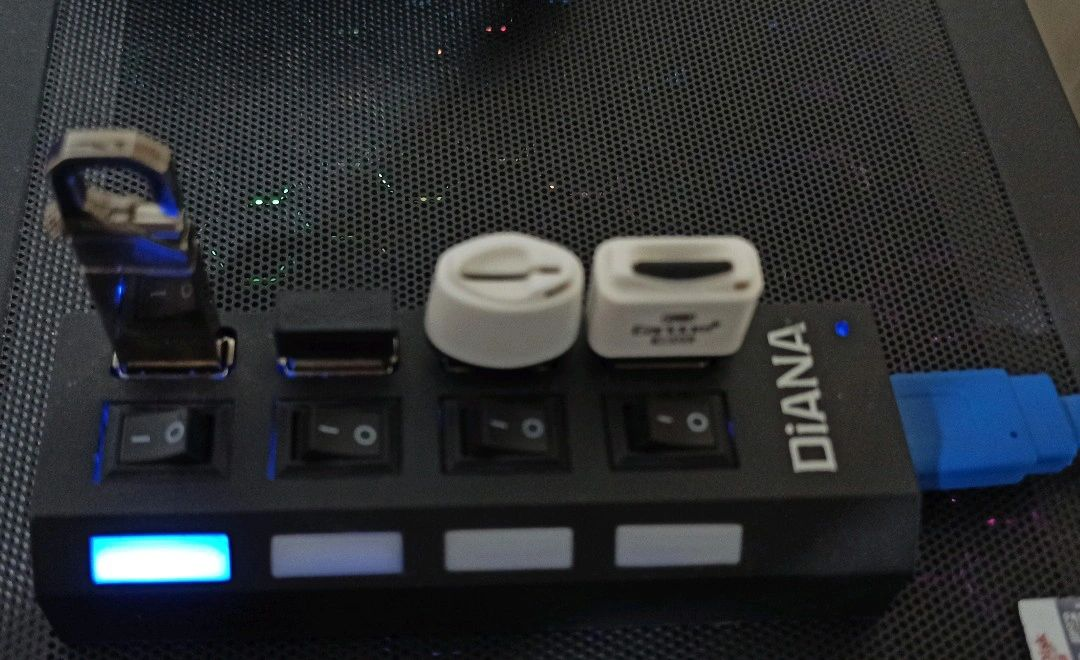
I already had a USB hub connected to my system, and one of its ports had a USB storage device plugged in that I barely used for anything else. That gave me an easy hardware flag:
- If the USB storage is detected by GRUB, it means I switched on that specific port of the hub before powering on the machine. In that case, GRUB should default to Ubuntu, and the auto-select timeout should be shortened so the extra decision doesn’t add to boot time.
- If GRUB can’t see the USB storage, it means I didn’t flip the hub switch when I turned the system on. In that case, GRUB should default to Windows, again with a short timeout.
The decision is based on the UUID of the third partition on the USB storage. A simple shell snippet checks whether a device with uuid = x exists: if it does, go to Ubuntu; if not, go to Windows.
Implementation
I created a new partition on the USB storage and formatted it with ext2:
1
sudo mkfs.ext2 /dev/sdX3
Then I grabbed the UUID of that partition:
1
blkid
Finally, I added the following script to my GRUB configuration:
1
2
3
4
5
6
7
8
9
10
#!/bin/sh
exec tail -n +3 $0
search --no-floppy --fs-uuid --set=usbpart 1e58ded1-c2c2-4c8e-9943-a31d7df39ea3
if [ "${usbpart}" ]; then
 set default=0
 set timeout=1
else
 set default=2
 set timeout=1
fi
Notes and Lessons Learned
My first idea was to use an SD card reader as the flag (without an actual SD card inside it), detecting it through
dmesgto grab its VID/PID. That worked fine, but only because Linux made it easy to query and act on that information at that stage. At the GRUB stage, there’s no Linux to lean on, so maneuvering with just a reader’s VID/PID would have been far more involved. It’s probably still doable, but using a full USB storage device with a recognizable filesystem UUID turned out to be a much simpler path.While writing this up, I realized the logic is arguably backwards. It would make more sense for the presence of the USB storage to trigger Windows, not Ubuntu. Why? Because if I ever lose or misplace that USB stick, GRUB would fail to detect it and default to Windows — even though I never intended to boot Windows, I just lost a USB drive. Flipping the logic around isn’t without its own edge cases either — for instance, if the Linux partition’s filesystem ends up installed on the Windows side and someone edits the script — but it would at least remove the “lost USB defaults you to the wrong OS” scenario.